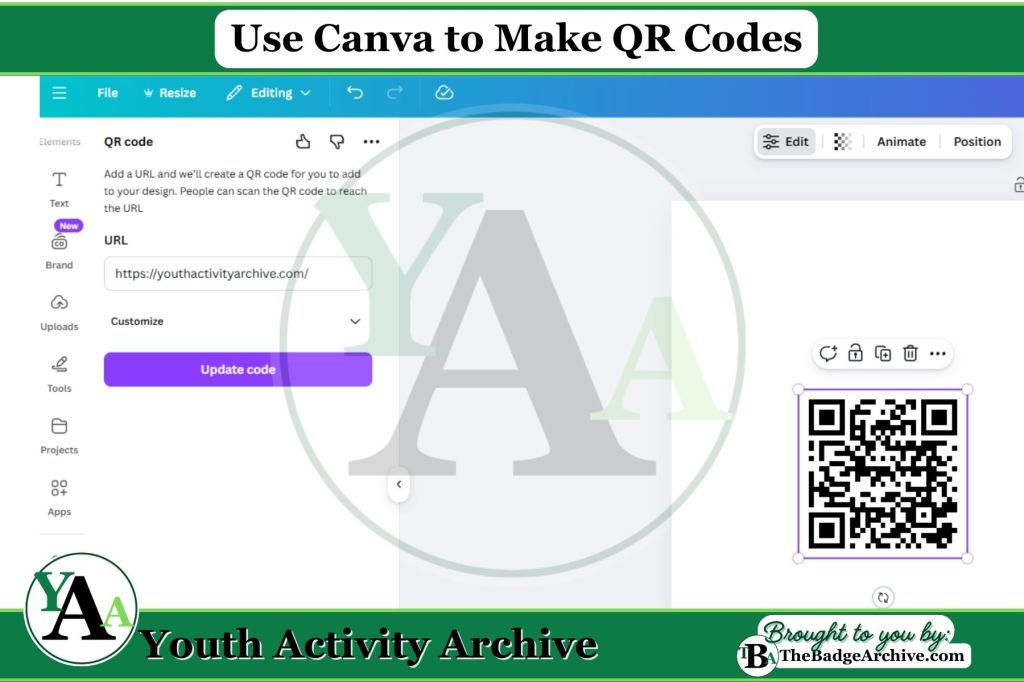
Activity Description: Youth use Canva on a computer to make a simple design that includes a QR code to their website.
Items Needed:
- Computer, laptop, or tablet
- Internet access
- Canva account (can be free version)
- Website link
Instructions (Estimated Total Time: 10–15 min):
- Open Canva. (2–3 min)
- Youth sign in to Canva with an adult’s help. Click “Create a design” and choose a flyer or poster size.
- Set up the design. (2–3 min)
- Create you design and Leave space on the design for the QR code.
- Find the QR code tool. (2–3 min)
- On the left side menu, youth click “QR Code.”
- Add the website link. (2–3 min)
- Youth paste their website link into the QR Code text box on the left.
- Click the button to generate the QR code and wait for it to appear on the design.
- Place and resize the QR code. (2–3 min)
- Youth drag the QR code to a clear spot on the flyer.
- (Optional) Resize it so it is big enough to scan but not covering any text.
- Save and download the design. (2–3 min)
- Youth click “Share” and then “Download” to save the design as a PDF, JPG, or PNG image. The downloaded file can now be printed or shared with customers.
Step-by-Step Tutorials:
- Alternative Instructions: Canva – Create QR Codes
- Video: Mariah Magazine – 2 Ways to Make a QR Code for Free
–
For More Fun Ideas and Plans

Join the Girl Scout Daisy, Brownie, and Junior Leader Help Facebook Group
(Not an official GSUSA Group)

Join the Girl Scout Cadette, Senior, and Ambassador Leader Help Facebook Group
(Not an official GSUSA Group)

See other Recommended Facebook Groups for some Scouting Organizations
(No official Groups)
–
Click Here -> To see information References:
Disclaimer: The information published on Youth Activity Archive and The Badge Archive is built from the references listed below. These sources demonstrate that our content is grounded in facts and research, not opinion or speculation. Readers may consult them directly when looking for additional material.
- “Create QR Codes – Canva Help Center.” Canva, 2024, http://www.canva.com/help/create-qr-code/. Accessed 5 Jan. 2026.
- Mariah Magazine. “2 Ways to Make a QR Code for Free.” Youtube.com, 30 May 2024, youtu.be/zj52advPoIg?si=K44eys355lijGEkt. Accessed 5 Jan. 2025.
- Find out how you can support The Badge Archive!