Activity Description: Youth create a simple QR code that links to their website.
Items Needed:
- Computer, laptop, or tablet
- Internet access
- Website link
- (Optional) QR code generator website
- (Optional) Printer
Instructions (Estimated Total Time: 5–10 min):
- Open a QR code tool. (1–2 min)
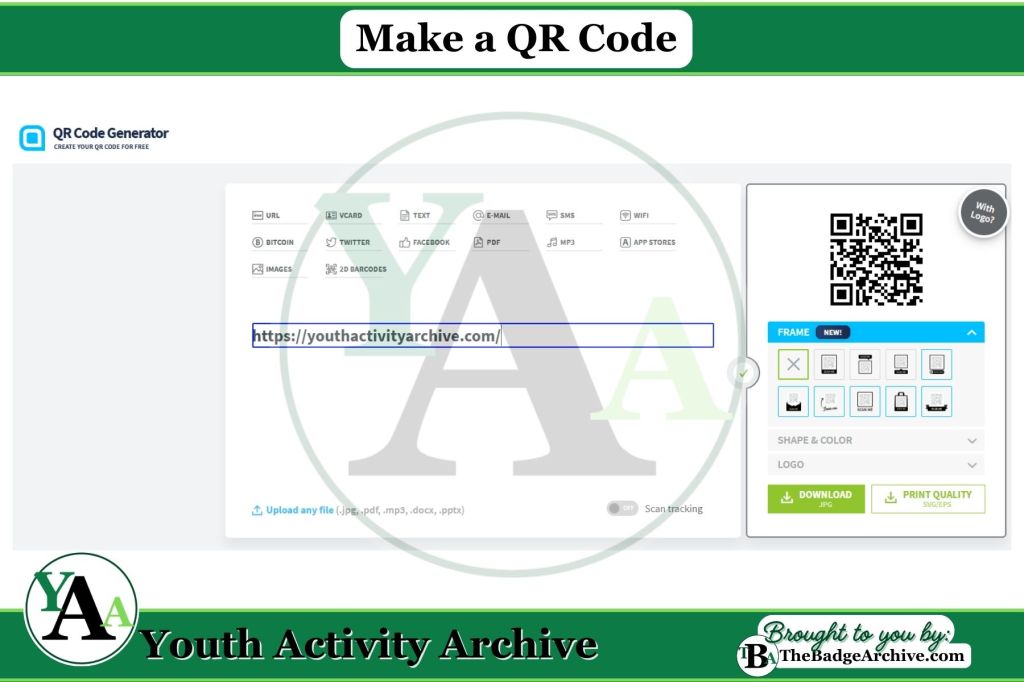
- Youth visit a free QR code generator website or open a browser like Chrome or Edge.
- Choose the content type. (1–2 min)
- Youth select “URL” or the option for linking to a website.
- Enter the cookie link. (1–2 min)
- Youth paste their website link into the box.
- The QR code appears automatically.
- (Optional) Customize the QR code. (1–2 min)
- Some programs will allow the youth to change the color or style while keeping the code easy to scan.
- Download the QR code. (1–2 min)
- Youth save the QR code image to their device as a PNG or JPG.
- Print or share the QR code. (1–2 min)
- Youth print the QR code or add it to a flyer, message, or other materials.
QR Code Generator Links
- QR Code Generator
- QR Code Monkey
- GoQR.me
- QRStuff
- Adobe Express QR Code Maker
- Beaconstac Free QR Code Generator
- Shopify Free QR Code Generator
- Google Chrome Built‑In Tool (Right‑click any webpage → Create QR code for this page)
- Microsoft Edge Built‑In Tool (Right‑click any webpage → Create QR code for this page)
- Use Canva to create a QR Code within a design
Step-by-Step Tutorials:
–
For More Fun Ideas and Plans

Join the Girl Scout Daisy, Brownie, and Junior Leader Help Facebook Group
(Not an official GSUSA Group)

Join the Girl Scout Cadette, Senior, and Ambassador Leader Help Facebook Group
(Not an official GSUSA Group)

See other Recommended Facebook Groups for some Scouting Organizations
(No official Groups)
–
Click Here -> To see information References:
Disclaimer: The information published on Youth Activity Archive and The Badge Archive is built from the references listed below. These sources demonstrate that our content is grounded in facts and research, not opinion or speculation. Readers may consult them directly when looking for additional material.
- Mariah Magazine. “2 Ways to Make a QR Code for Free.” Youtube.com, 30 May 2024, youtu.be/zj52advPoIg?si=K44eys355lijGEkt. Accessed 5 Jan. 2025.
- Find out how you can support The Badge Archive!